- The 2026 Ford Explorer includes hidden technologies such as Safe Exit Warning, which alerts occupants to approaching traffic before opening a door.
- Features like Open On Approach can automatically prepare the vehicle as the driver walks toward it.
- Many owners remain unaware of several convenience, safety and comfort features long after taking delivery.
The 2026 Ford Explorer carries one of the most comprehensive technology suites in the three-row midsize SUV segment — a 13.2-inch central touchscreen, a 12.3-inch LCD cluster display, BlueCruise hands-free highway driving, over-the-air update capability and a connected services package included for the first year on every trim. But the Explorer’s most useful and most commonly undiscovered capabilities are not the headline features that appear in the brochure — they are the secondary functions, clever safety systems and convenience behaviours that deliver the highest daily value-to-discovery ratio in the entire ownership experience. This guide uncovers every one of them.
Hidden Feature 1: Open on Approach — the Vehicle Prepares Before You Reach It
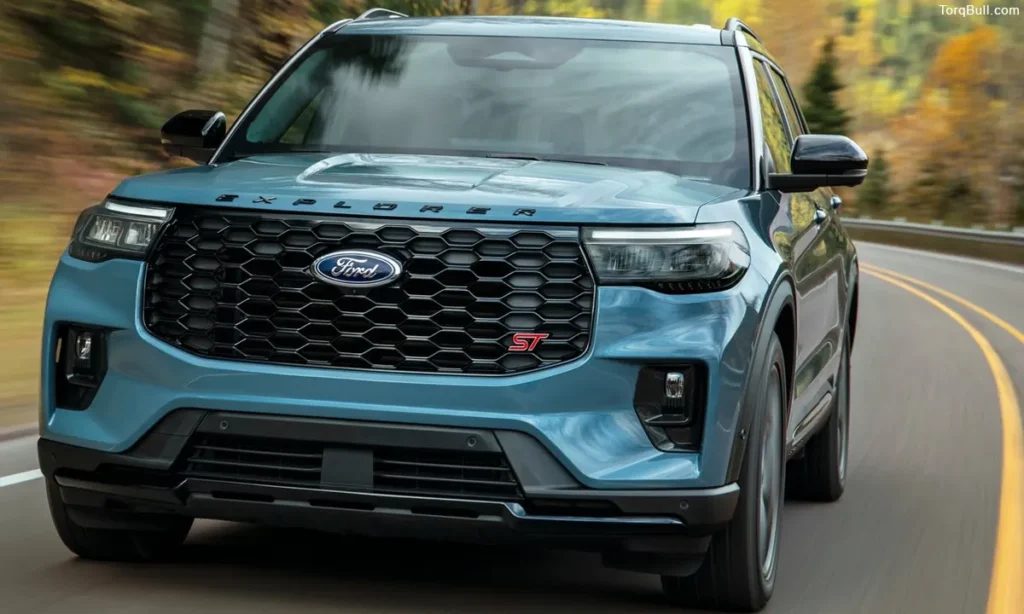
The 2026 Explorer’s Open on Approach feature detects the owner’s smartphone or key fob when they are approaching the vehicle and automatically begins preparing the Explorer for entry before any button is pressed or door is touched.
When enabled through the SYNC infotainment settings, the system uses the proximity detection built into the passive entry hardware to recognise the approach and begin unlocking the doors, deactivating the alarm and in some configurations beginning cabin pre-conditioning through the remote climate system. For families arriving at a vehicle with full hands — children, groceries, sports equipment — this feature eliminates the fumbling for a key or phone that most locking systems require. The feature requires activation in the vehicle settings rather than operating automatically from delivery, which is why most owners go weeks or months without knowing it exists.
Read: Ford Bronco Wildtrak vs Outer Banks: Which Bronco Trim Is Right for You?
Hidden Feature 2: Safe Exit Warning — Protects Passengers From Opening Doors Into Traffic
The safe exit warning system is one of the 2026 Explorer’s most practically important hidden safety features — and one that specifically addresses a collision scenario that families with children encounter in real parking situations daily.
When the vehicle is parked and a passenger is about to open a door, the safe exit warning system uses the same blind spot sensors that provide lane-change collision alerts during driving to detect approaching vehicles, cyclists or other hazards from the rear. If an occupant is opening or about to open a door into the path of an approaching hazard, the system provides both an audible alert and a visual warning within the door panel’s display area. This warning occurs at the moment of greatest danger — when a door is being opened into a potential collision path — rather than only during highway driving where blind spot alerts typically operate.
Most owners discover the safe exit warning accidentally when it activates in a parking lot situation rather than through any dealer walkthrough or manual reading.
Hidden Feature 3: Adaptive Cruise Control Gap Adjustment on a 1-4 Scale
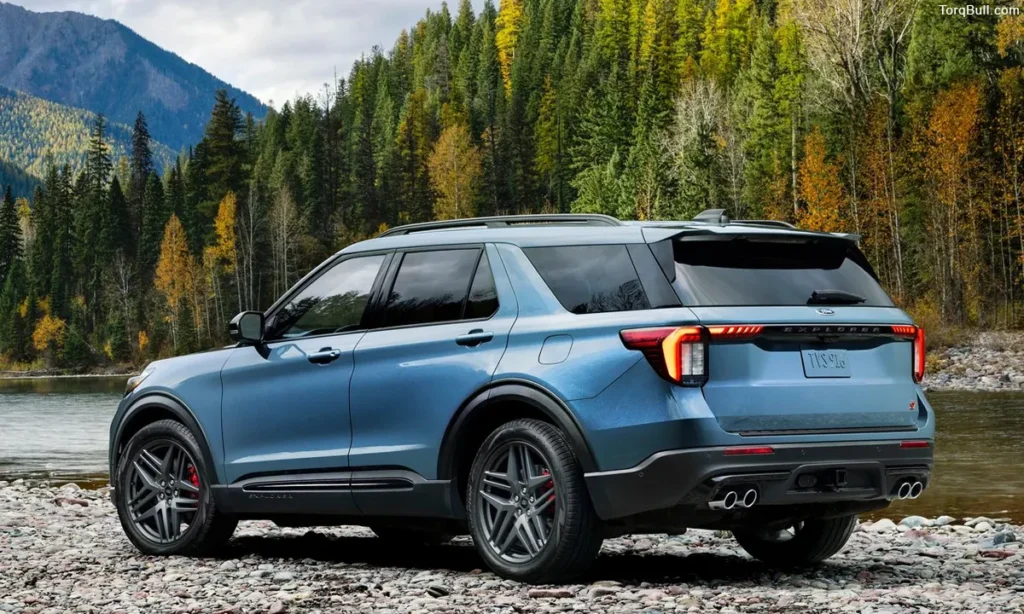
Every 2026 Explorer trim includes adaptive cruise control as standard — but the feature within the system that most owners never discover is the following distance gap adjustment that changes the time-based gap between the Explorer and the vehicle ahead on a four-level scale.
Setting 1 provides the closest following distance — appropriate for urban environments where traffic density makes larger gaps impractical. Setting 4 provides the most generous following distance — appropriate for open highway driving where additional reaction time provides the greatest safety margin and the least frequent braking response. Most owners use the default setting without knowing the adjustment exists. Pressing the gap adjustment button on the steering wheel cycles through the four settings, and the current setting is visible in the instrument cluster display during adaptive cruise operation. Discovering this adjustment transforms the adaptive cruise experience from a fixed-distance system that may feel too close in some conditions into a configurable tool that the driver calibrates to their specific comfort and driving environment.
Hidden Feature 4: Post-Collision Braking — Automatic Brakes After an Initial Impact
The post-collision braking system is a safety feature that operates in the aftermath of an accident rather than before it — making it one of the Explorer’s most consequential hidden features for real-world crash mitigation.
After an initial collision impact, the post-collision braking system automatically applies the brakes to slow and stop the vehicle, reducing the probability and severity of secondary collisions that occur when an impacted vehicle rolls into oncoming traffic or additional obstacles. This system operates without driver input in the moments following impact when the driver may be disoriented, injured or unable to apply the brakes independently. The feature is active by default on equipped 2026 Explorer configurations but receives essentially no attention in dealer walkthroughs because it only activates in the specific and hopefully rare accident scenario it was designed to address.
Read: Ford F-150 EcoBoost vs V8 Performance: Which Engine Delivers Better Driving Experience?
Hidden Feature 5: Evasive Steering Assist — Steering Help When Braking Alone Is Not Enough
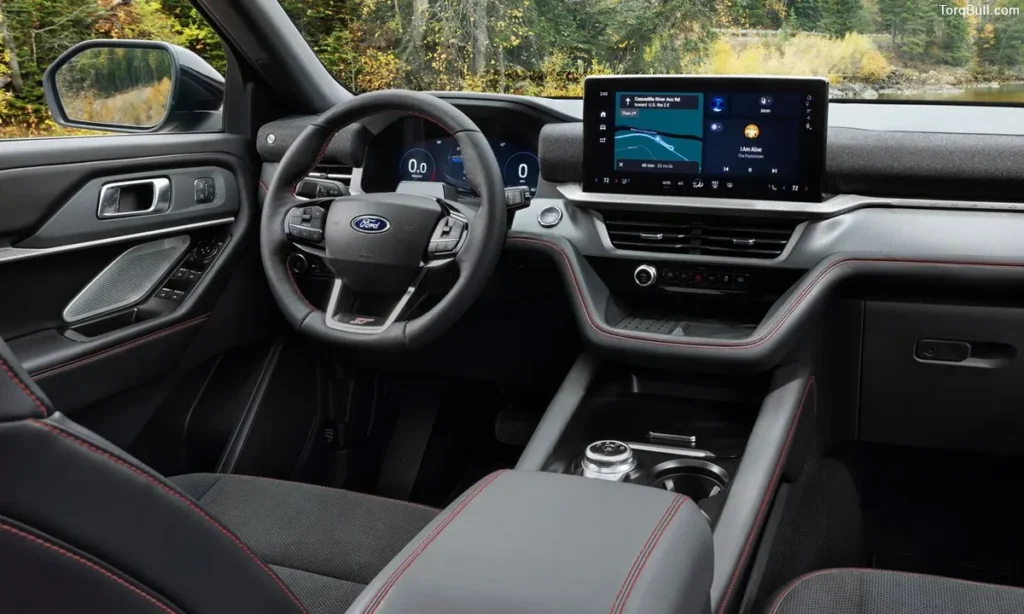
Evasive steering assist is a 2026 Explorer safety technology that extends beyond the standard automatic emergency braking system to provide steering guidance when a collision threat is detected and braking alone cannot prevent the impact.
When the forward collision warning system detects an imminent collision and the driver initiates emergency braking, evasive steering assist uses the electric power steering system to provide directional guidance that steers the Explorer around the detected obstacle. The system operates as a steering input enhancement rather than a full override — it works with the driver’s own steering inputs to amplify and direct the evasive manoeuvre rather than removing the driver from the steering process. For drivers who have practised emergency braking but not emergency steering responses, this system provides guidance at the exact moment when effective steering technique most significantly affects the collision outcome.
Hidden Feature 6: Sun Visor Extension Beyond the A-Pillar
One of the most frequently cited hidden discoveries in the Explorer owner community is the sun visor’s extension mechanism — a feature that experienced Explorer owners have noted takes three years of ownership to discover accidentally.
When the sun visor is positioned against the side window rather than the standard forward-facing position, pressing the visor outward from the windscreen end extends the visor material further along the side window — providing sun coverage for a larger side window area than the standard visor position achieves. This extension eliminates the gap between the visor’s edge and the A-pillar that allows direct sunlight to hit the driver’s face during early morning and late afternoon driving when the sun is at low angles. Most owners position the visor in its standard extended or pivoted position without pressing on the visor body to discover the extension mechanism.
Hidden Feature 7: BlueCruise Hands-Free Highway Driving — Available on More Roads Than Most Owners Know
BlueCruise hands-free highway driving is a standard feature on all 2026 Explorer trims — but the specific capability that most owners do not fully understand is the geographic scope of roads where BlueCruise operates.
BlueCruise maintains a map of over 130,000 miles of divided highway across North America — including not just major interstate corridors but many state highways, US routes and secondary divided roads that owners would not expect a hands-free system to cover. The SYNC system provides specific navigation-linked pre-alerts when the vehicle is approaching a BlueCruise-eligible road segment, allowing the driver to activate the system before the segment begins rather than discovering compatibility after passing the entry point. Most owners who use BlueCruise do so on the most obvious interstate routes without knowing the full scope of eligible roads that the system actively manages.
The 2026 Explorer also introduces hands-free lane changes as a BlueCruise capability — activating a signal initiates a lane change that the system executes automatically while maintaining hands-free operation. This is specifically new for the 2026 Explorer, not available on equivalent 2025 configurations.
Read: Which Ford F-150 Trim Is Best for Families? Here Are the Top Picks for Comfort and Value
Hidden Feature 8: SYNC Display Customisation Beyond the Default Layout
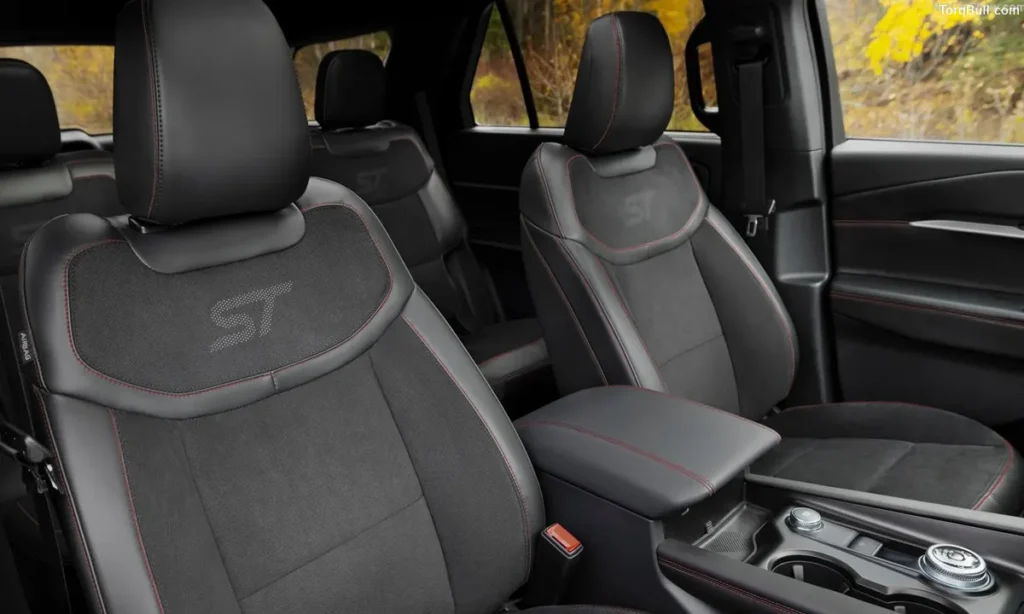
The 2026 Explorer’s 13.2-inch SYNC touchscreen and 12.3-inch instrument cluster display offer substantially more customisation than the factory default layout suggests — and discovering this customisation transforms how useful both screens become in daily operation.
The instrument cluster display supports multiple view configurations accessed through the display settings — different layouts allocate different amounts of screen space to the navigation map, vehicle information, driver assistance status and media information. Owners who use the default configuration typically receive a fixed layout that prioritises different information from what they specifically want visible during daily driving. Accessing the cluster display settings through the steering wheel controls or the SYNC menu reveals the layout options that match the owner’s specific driving information priorities. A commuter who wants continuous navigation visibility needs different cluster layout than a driver who prioritises current track and media information during weekend drives.
Hidden Feature 9: Tremor Trim Off-Road Camera Mode
For Tremor trim owners specifically, the 360-degree camera system that provides standard parking assistance activates in a dedicated off-road camera mode that reconfigures the camera view from parking-assistance orientation to terrain-navigation orientation.
In standard camera mode, the 360-degree view is optimised for low-speed urban parking — showing the vehicle’s proximity to surrounding obstacles from above. In off-road mode, the camera system reorients to prioritise the views most useful for trail navigation — specifically the front and side views that show the terrain the vehicle is approaching, including rock edges, drop-offs and surface transitions that are difficult to assess from the driver’s seat elevation. This mode activates when the Tremor’s off-road driving profile is selected and the camera system is engaged — but many Tremor owners use the camera exclusively in its standard parking mode without discovering the off-road view configuration.
Hidden Feature 10: Intelligent Access Activation Without Touching the Handle
The 2026 Explorer’s intelligent access system — which detects the key fob and unlocks the doors when the handle is touched — can be configured in some trim levels to unlock without requiring the physical handle touch at all, activating door unlock purely from proximity detection.
This configuration is the most hands-free version of passive entry available in the Explorer lineup and is discovered most commonly by owners who notice the doors unlocking before they touch the handle in cold weather when gloved hands do not reliably activate the capacitive handle sensor. Enabling the most sensitive proximity trigger in the access settings replicates this behaviour deliberately rather than accidentally.
Read: Ford F-150 Raptor Full Review 2026. The Complete Performance Truck Assessment
Ford Explorer 2026 Hidden Features — Complete Quick Reference Chart
| Hidden Feature | Trim Availability | Practical Benefit | How Most Owners Discover It |
| Open on Approach | Most trims (requires settings activation) | Vehicle ready before you arrive | Settings menu exploration |
| Safe Exit Warning | Standard across lineup | Prevents door-into-traffic accidents | Activates unexpectedly in a parking lot |
| Adaptive Cruise Gap Adjustment | All trims (4-level scale) | Comfortable following distance for any environment | Accidentally pressing gap button on steering wheel |
| Post-Collision Braking | Equipped configurations | Reduces secondary collision probability | Accident scenario only |
| Evasive Steering Assist | Equipped configurations | Steering guidance during emergency braking | Activated during near-miss event |
| Sun Visor Extension | All configurations | Additional side-window sun coverage | Accidentally pressing visor body |
| BlueCruise Extended Road Map | All 2026 trims standard | 130,000+ miles of eligible hands-free roads | Navigation pre-alerts approaching a segment |
| Hands-Free Lane Change | 2026 specific (new feature) | Signal-activated automatic lane change | First highway hands-free session |
| SYNC Display Customisation | All trims | Personalised information layout on both screens | Settings menu deep-dive |
| Tremor Off-Road Camera Mode | Tremor trim only | Terrain-navigation camera view | Selecting off-road drive profile |
| Intelligent Access Proximity Sensitivity | Configurable on most trims | Hands-free unlock without touching handle | Cold-weather gloved-hand use |
The One 2026 Feature Deletion Every Buyer Must Know
One significant technology change distinguishes the 2026 Explorer from its 2025 predecessor and affects buyers who specifically want wireless phone charging: the wireless charging pad has been completely removed from the 2026 Explorer lineup. It is not available on any trim, not even as a paid option. The 2026 Explorer charges phones exclusively through USB-A and USB-C ports — with seven USB-C ports confirmed on higher-configured examples. Buyers who are cross-shopping a 2025 example against a 2026 and who specifically value wireless charging should note this deletion before finalising their purchase decision.