- Location-based trunk height memory
- Touchscreen reboot fixes glitches quickly
- Hidden settings improving convenience
- Smart shortcuts enhancing usability
- Lesser-known features even owners miss
Tesla Model 3 Hidden Features: The Tesla Model 3 is, at its core, a software product that happens to be a car — and like any sophisticated software product, it contains far more functionality than the user interface’s clean surface suggests. Most Model 3 owners discover the major features quickly: Autopilot, Sentry Mode, over-the-air updates, the Supercharger network integration. But beneath those headline capabilities sits a layer of genuinely useful hidden features, settings shortcuts, safety mechanisms and customisation options that even experienced Tesla owners frequently do not know exist — features that save time, protect the battery, improve safety, enable conveniences and occasionally prevent embarrassing parking garage collisions. This guide covers the 15 most practically valuable hidden features in the 2026 Model 3 lineup, drawn from the current software generation and the owner community’s collective experience across nine years of Model 3 production.
Hidden Feature 1: Trunk Height Memory by Location
The Model 3’s power trunk does not simply open to a fixed maximum height — it remembers the preferred trunk opening height for specific locations and automatically adjusts to that height every subsequent time the vehicle returns to the same GPS coordinates.
This feature exists to prevent exactly the accident that ruins parking garage mornings: the trunk opening fully into a low ceiling, damaging either the trunk lid or the ceiling structure. The first time a Model 3 owner opens the trunk in a particular garage and the power mechanism encounters the ceiling, the owner can press and hold the trunk button to set the current opening height as the preferred height for that location. On every subsequent visit, the trunk opens to that reduced height automatically. This location memory function works across an unlimited number of saved locations and stores them persistently across software updates. It is one of the most practically valuable Model 3 hidden features for owners who park in covered structures, and it requires no settings menu navigation to activate — just a long press at the desired height on first use.
Read: Is Tesla Model 3 Performance Upgrade Worth It? The Complete 2026 Verdict
Hidden Feature 2: Soft Reboot to Fix Most Software Glitches
When the Model 3 touchscreen freezes, displays an error or behaves unexpectedly — a more common occurrence than the vehicle’s premium positioning would suggest — the fastest resolution is a soft reboot that most owners do not know how to initiate without a web search.
Pressing and holding both steering wheel scroll buttons simultaneously causes the central computer to restart while the vehicle remains operational. The screen goes dark for 30 to 60 seconds, the Tesla logo appears and the system restarts to a clean state — typically resolving touchscreen freezes, camera display issues, navigation errors and most common software glitches without affecting the driving systems, which remain fully operational during the reboot. This is the equivalent of restarting a smartphone that has become unresponsive, and it resolves the majority of day-to-day software annoyances without requiring a service centre visit or an over-the-air update cycle.
Hidden Feature 3: Scheduled Departure for Battery Preconditioning and Off-Peak Charging
The Scheduled Departure feature — accessible through the Tesla app’s Charging menu — is one of the most financially and practically valuable settings available to any home-charging Model 3 owner, yet it is consistently underutilised by new owners who set it up once and forget it exists.
Rather than simply charging immediately upon plugging in, Scheduled Departure allows the owner to specify a departure time. The car then automatically calculates when charging should begin to complete just before the departure time — ensuring the battery is at its target charge level, the cabin is preheated or pre-cooled to the set temperature and the battery is thermally conditioned to its optimal operating range, all using grid electricity while still plugged in rather than battery energy. Arriving at a thermally conditioned car in cold winter mornings or summer afternoons recovers meaningful range that would otherwise be consumed by cabin climate management in the first miles of driving. For owners on time-of-use electricity plans with lower overnight rates, Scheduled Departure also ensures charging occurs within the cheapest electricity window automatically.\
Read: Total Cost of Owning a Tesla Model 3 In USA. Analysis That Every Buyer Needs Before Signing
Hidden Feature 4: Energy App’s Driving Patterns Graph
The Energy app on the Model 3 touchscreen — accessible from the bottom menu — provides a real-time and historical view of energy consumption that most owners use only as a range estimate display. But buried within it is a driving patterns analysis that breaks down exactly what is consuming battery energy across each trip.
The consumption graph shows energy used by speed, climate control, elevation change, battery conditioning and vehicle accessories as separate stacked components — allowing any driver to see precisely how much of their range consumption comes from cabin heat on a cold morning versus highway speed versus hills. For owners trying to understand why their winter range is significantly below summer range, or why a specific route consumes more energy than expected, the Energy app’s breakdown provides the diagnostic clarity that turns range anxiety into actionable management. Tapping any section of the trip history reveals the specific consumption profile for that trip, allowing comparison across routes, seasons and driving styles.
Hidden Feature 5: Rear Emergency Door Release
Every Model 3 has a manual emergency door release in each rear door — a critical safety feature that most owners and passengers never know about until they urgently need it.
In the event of a power failure that prevents electronic door operation, or in an emergency where the normal door button does not function, a small mechanical lever is located on the inner edge of the rear door frame near the door latch. Pulling this lever manually releases the door without requiring any electrical power. The existence of this release is documented in the Tesla Owner’s Manual but is not labelled or visually obvious inside the vehicle — making it essential knowledge for any owner who carries passengers who might need to exit independently during an emergency. Showing rear seat passengers the location of this release at the beginning of any long journey takes approximately 15 seconds and provides meaningful safety assurance for scenarios that, while rare, occur.
Hidden Feature 6: Grok AI Voice Assistant With “Hey Grok”
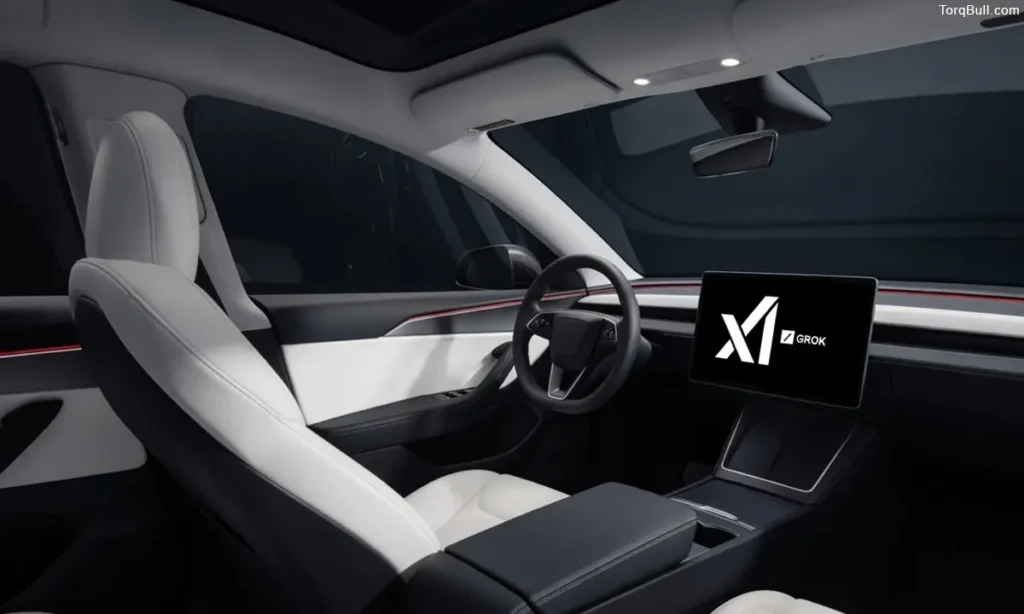
The Spring 2026 software update (version 2026.14 and later) introduced Tesla’s Grok AI voice assistant with voice activation through the phrase “Hey Grok” — a feature that represents a significant expansion of the Model 3’s voice control capability beyond the navigation and phone call commands that voice activation previously handled.
Grok can answer general knowledge questions, provide weather information, assist with navigation planning, tell jokes and engage in conversational responses without the owner touching the touchscreen. For owners who found Tesla’s previous voice command system restrictively limited to specific command phrases, Grok’s conversational capability makes voice interaction meaningfully more natural and useful. The feature is available on HW4 vehicles with sufficient cellular or Wi-Fi connectivity and continues to receive capability improvements through subsequent over-the-air updates. Accessing it requires only the “Hey Grok” wake phrase — no button press needed.
Read: Best Level 2 Home Charger for Tesla Model 3 With Solar Panels
Hidden Feature 7: Customise Lock and Unlock Sounds
The Model 3 allows owners to replace the default lock and unlock sound effects with custom audio files loaded from a USB drive — one of the more unexpected personalisation options in a vehicle and one that the vast majority of owners never discover.
Custom audio files in MP3 or WAV format placed in a specific directory on a USB drive can be assigned to lock, unlock and charging connect and disconnect events through the Toybox section of the controls menu. Owners have used this feature to assign anything from a favourite movie sound effect to a custom recorded message to their vehicle’s confirmation sounds. While this is not a feature that improves the car’s functionality, its existence reveals the depth of software customisation that Tesla has built into the platform — and for owners who spend significant time near their parked vehicle, a custom sound that reflects their personality is a surprisingly satisfying personalisation.
Hidden Feature 8: Location-Based Driving Profile
The Model 3 can automatically switch between saved driver profiles based on GPS location — a feature specifically designed for households where the car is shared between multiple drivers who have different preferences for seat position, mirror angles, steering wheel height and favourite radio stations.
Each driver profile saves all personalised settings. When a profile is linked to a home or workplace location, the car automatically switches to that profile when it detects arrival at the associated coordinates. For couples who share a Model 3, this eliminates the need to manually switch profiles or adjust seats on every driver change — the car simply presents the correct configuration based on where it is parked. The feature is activated through Controls > Drivers, and each profile can be locked with a PIN to prevent unauthorised access to profile settings.
Hidden Feature 9: Slip Start Mode for Improved Traction Control Behaviour
Slip Start is a traction control mode accessible through the driving controls menu that modifies how the Model 3 manages wheel spin in specific low-traction scenarios — particularly useful for owners who need to rock the vehicle out of sand, mud or heavy snow where conventional traction control’s wheel spin suppression prevents the rocking motion that generates momentum.
Standard traction control intervenes aggressively when it detects wheel spin, limiting power to the spinning wheel to restore grip. In loose or deep surface materials where some wheel spin is necessary to generate forward progress, this intervention can prevent the vehicle from moving at all. Slip Start reduces traction control aggressiveness to allow controlled wheel spin, enabling the deliberate vehicle rocking technique that experienced drivers use to escape stuck situations. The feature is accessed through Controls > Driving > Slip Start, and it automatically deactivates after a set speed threshold is reached to restore normal traction management for highway use.
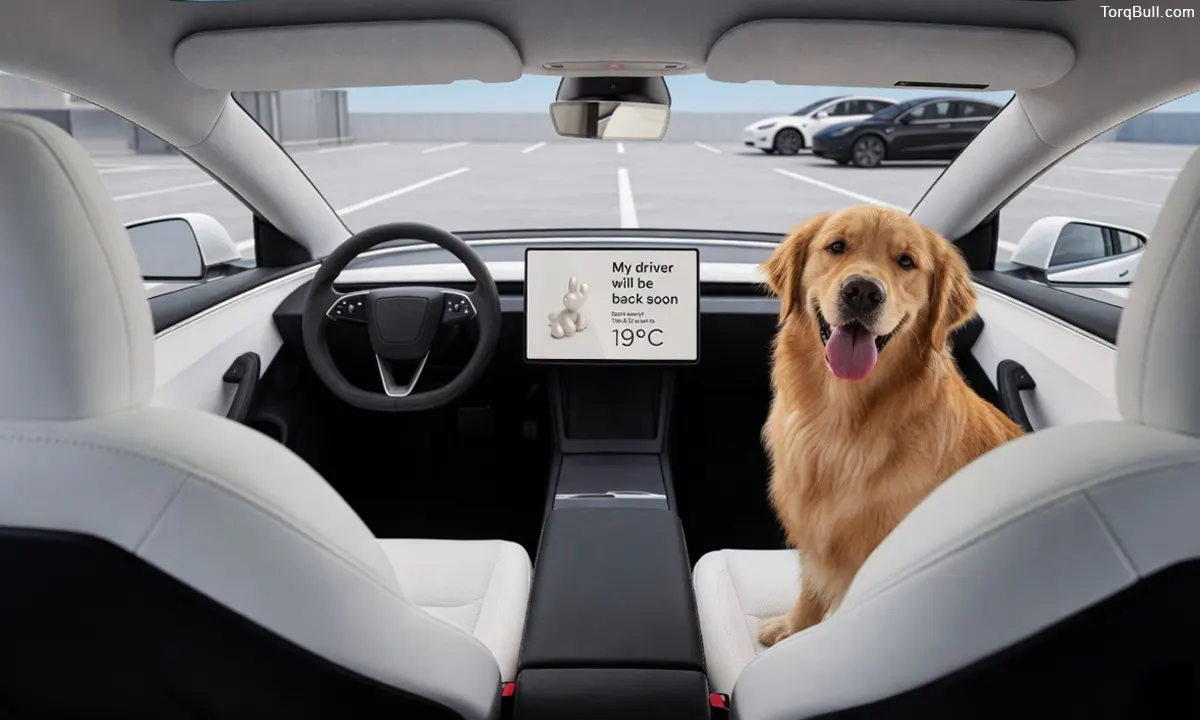
Hidden Feature 10: Dog Mode and Keep Climate Active
Dog Mode is one of the most genuinely useful and publicly praised Model 3 features — yet many owners who have heard of it do not know the specific steps to activate it or understand exactly what it does to protect pets.
When Dog Mode is engaged through the fan icon on the touchscreen while the vehicle is parked, the climate control system continues running at the set temperature regardless of whether the owner is in the car. The central touchscreen simultaneously displays a large message stating “My owner will be back soon” along with the current cabin temperature — visible through the windscreen to concerned passers-by. Critically, Dog Mode keeps the vehicle’s high-voltage system active to power the climate system, preventing the battery from entering a sleep state that would interrupt climate control. The cabin temperature is maintained within the set range for as long as the battery level permits, making it safe to leave pets in the car during brief errands in hot or cold weather.
Hidden Feature 11: Sentry Mode Live View From the Tesla App
Sentry Mode — Tesla’s parking security system that uses the camera suite to record video when movement or impact is detected near the parked vehicle — has a less-known secondary capability that many owners overlook: live camera access through the Tesla app while the vehicle is parked.
With Sentry Mode active and premium connectivity enabled, the Tesla app’s Security menu provides real-time access to any of the Model 3’s eight cameras. This allows an owner inside a building to check whether their vehicle is being approached, whether someone is near the charge port or whether an alarm notification requires immediate attention. The live view feature also supports two-way communication — the owner can activate the vehicle’s external speaker from the app to speak to someone near the parked car, and can honk the horn remotely. For owners who park in areas with higher security concern, this remote monitoring capability transforms the smartphone into a real-time parking security system.
Read: Tesla Model 3 Charging Cost Per Mile In USA. Complete 2026 Cost Analysis
Hidden Feature 12: Navigate to Supercharger While Charging for Battery Preconditioning
When a Supercharger is set as a navigation destination, the Model 3 automatically preconditions the battery to its optimal charging temperature before arrival — a feature that meaningfully reduces the time spent at the charger. What many owners do not realise is that this preconditioning also applies when navigating away from a Supercharger to the next Supercharger on a multi-stop route.
The navigation system’s built-in Supercharger stop planning automatically routes through intermediate Supercharger stops when the destination is beyond a single charge range. As the vehicle approaches each planned Supercharger, it begins battery preconditioning — warming or cooling the pack to its optimal 25-35 degree Celsius charging temperature — so that when the vehicle arrives and plugs in, it immediately charges at the maximum available power rather than starting at a reduced rate while the battery thermally conditions. On cold days when a cold battery would otherwise charge at significantly reduced rates, this automatic preconditioning is the difference between a 25-minute charging stop and a 40-minute one.
Tesla Model 3 Hidden Features Quick Reference Chart
| Hidden Feature | Access Method | What It Does | Who Benefits Most |
| Trunk height memory | Hold trunk button at desired height | Saves max opening height per location | Garage parkers |
| Soft reboot | Hold both scroll wheel buttons | Restarts touchscreen, fixes most glitches | All owners |
| Scheduled Departure | Tesla app > Charging | Preconditions + off-peak charging | Home chargers on TOU plans |
| Energy app consumption graph | Bottom menu > Energy | Shows energy breakdown by category | Range-conscious drivers |
| Rear emergency door release | Inner door frame lever | Manual door release without power | Safety-conscious families |
| Grok AI voice assistant | “Hey Grok” voice command | Conversational AI responses | HW4 vehicles on 2026.14+ |
| Custom lock/unlock sounds | USB > Toybox | Personalised audio for lock events | Personalisation enthusiasts |
| Location-based driving profiles | Controls > Drivers | Auto-switches profile by GPS | Multi-driver households |
| Slip Start mode | Controls > Driving | Reduces traction control for stuck situations | Owners in snow/sand/mud |
| Dog Mode | Fan icon > Keep Climate Active | Maintains cabin temp with display message | Pet owners |
| Sentry Mode live view | Tesla app > Security | Real-time camera access from app | Urban parkers |
| Auto Supercharger preconditioning | Set Supercharger as navigation destination | Warms battery before arrival | Road trip drivers |
Finding New Hidden Features After Every Software Update
The most important meta-feature of the Model 3 that any owner can cultivate is the habit of reviewing Tesla’s software update release notes after every over-the-air update. The Spring 2026 update alone — version 2026.14 — introduced the “Hey Grok” voice assistant, improved car visualisation, enhanced trip statistics and new Sketchpad features. The 2025.26 update brought Grok Beta voice assistant with selectable personalities. The 2025.32 update introduced Tron Mode visual themes. Each update delivers new hidden capabilities to every car simultaneously, and the release notes — viewable by tapping Controls > Software on the touchscreen or through the Tesla app’s notification — document every change.
The owner community surrounding the Model 3, particularly the Tesla Motors Club forums and the Not a Tesla App tracking service, documents new features, discovers undocumented Easter eggs and shares activation instructions within hours of each update reaching the fleet. Following these resources transforms every software update from a background event into a genuine discovery experience — new features in a vehicle already owned, delivered at no additional cost, expanding what the Model 3 can do without ever visiting a service centre or paying for an upgrade.